UML & Class Diagrams
Render Mermaid.js diagrams in your API Docs.printing press renders Mermaid.js content in two ways:
- Fenced code blocks in OpenAPI or AsyncAPI markdown descriptions.
- Auto-generated class diagrams on model pages when schema relationships exist.
Mermaid in markdown
Put a Mermaid fenced code block in any contract field that supports markdown, such as info.description, operation descriptions, message descriptions, or schema descriptions.
```mermaid
graph TD
  Search --> Book
  Book --> Pay
```
printing press will turn that fence into a rendered Mermaid block with a plain code fallback.
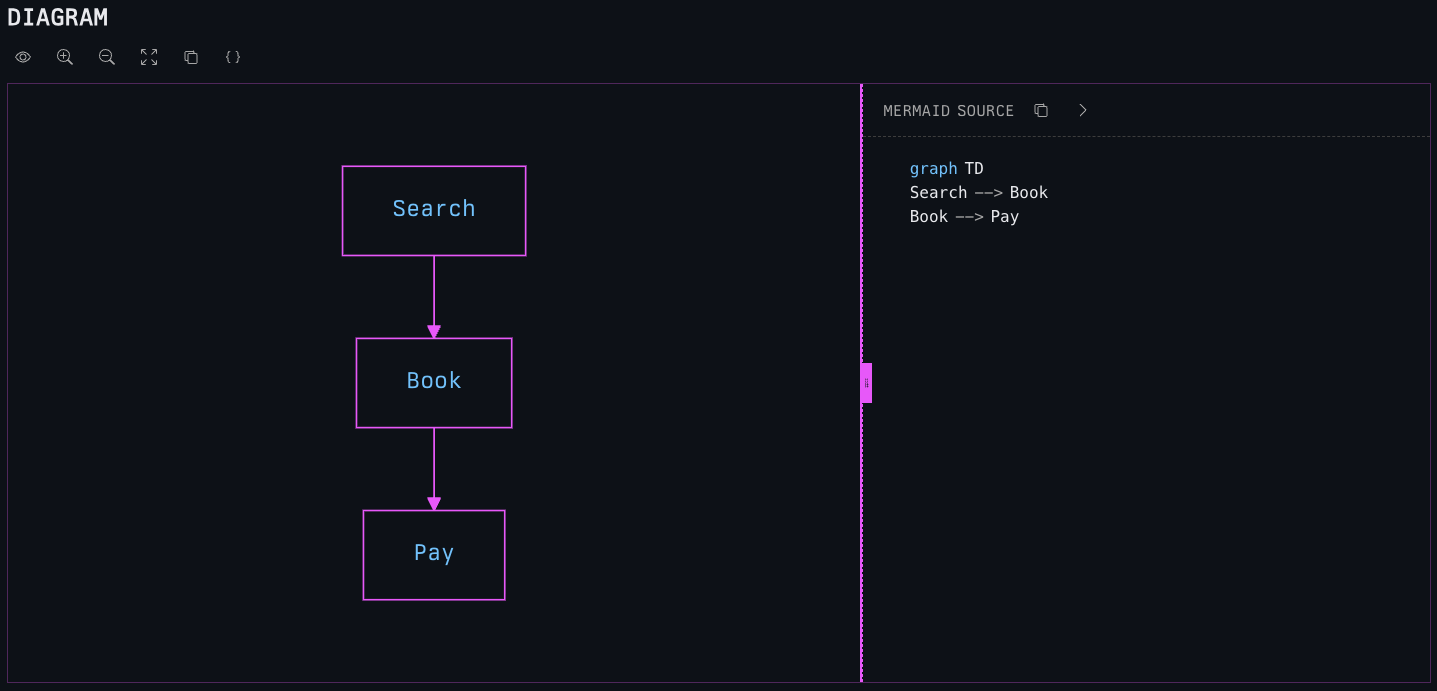
mermaid. Empty Mermaid fences are ignored.Generated class diagrams
Model pages will include generated Mermaid class diagrams for complex schemas with one or more relationships.
Some common relationship sources include:
- Direct
$refproperties - Array items that reference another schema
- Composed schemas using
allOf, anyOf, oneOf - AsyncAPI message payload and header schemas
Simple scalar schemas and flat objects with only primitive properties do not get generated class diagrams. Not because we can’t, but because there is no point.
OpenAPI and AsyncAPI schemas use the same neutral schema diagram engine. Referenced component schemas get diagrams on their model pages. Inline AsyncAPI payload and header schemas get diagrams inside the operation or message content that owns them. Non-JSON schema formats such as Avro are rendered as raw schema content and are not interpreted as JSON Schema.
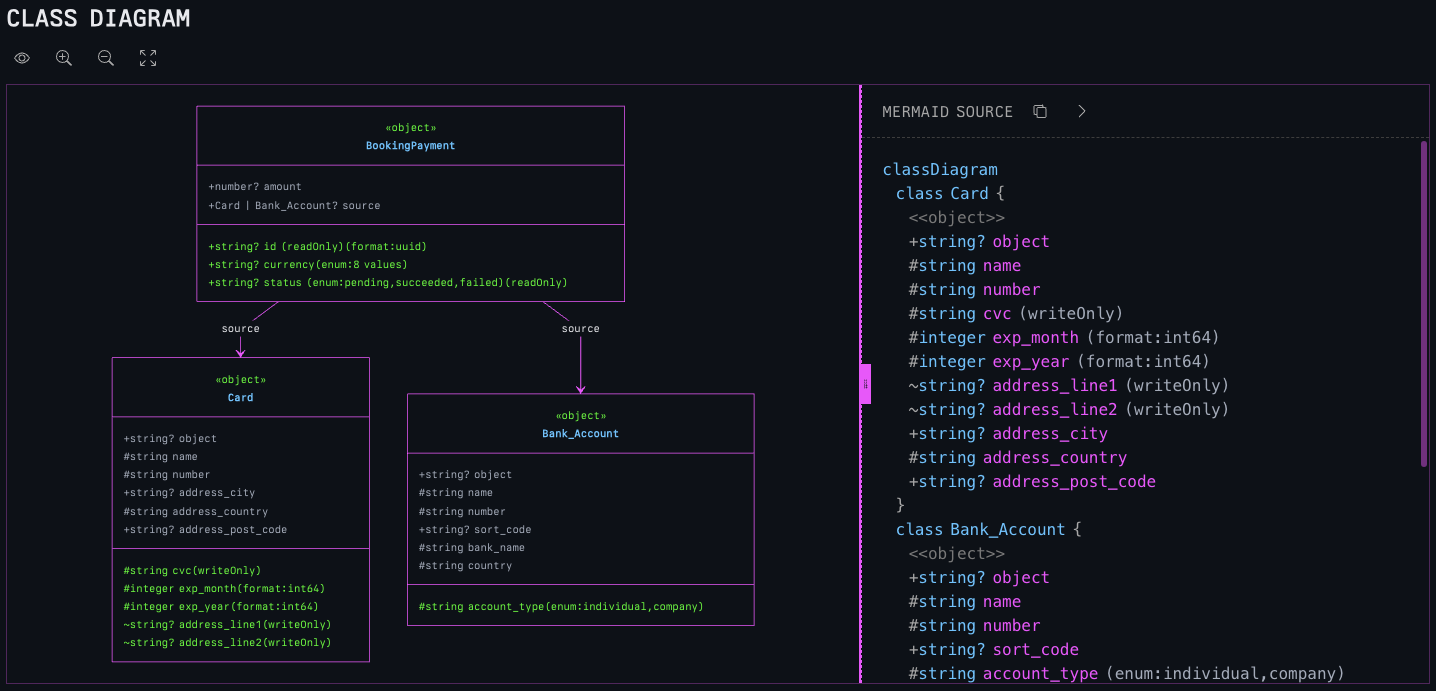
BookingPayment class.Dependency explorer
Model pages may also include a dependency explorer when graph data is available.
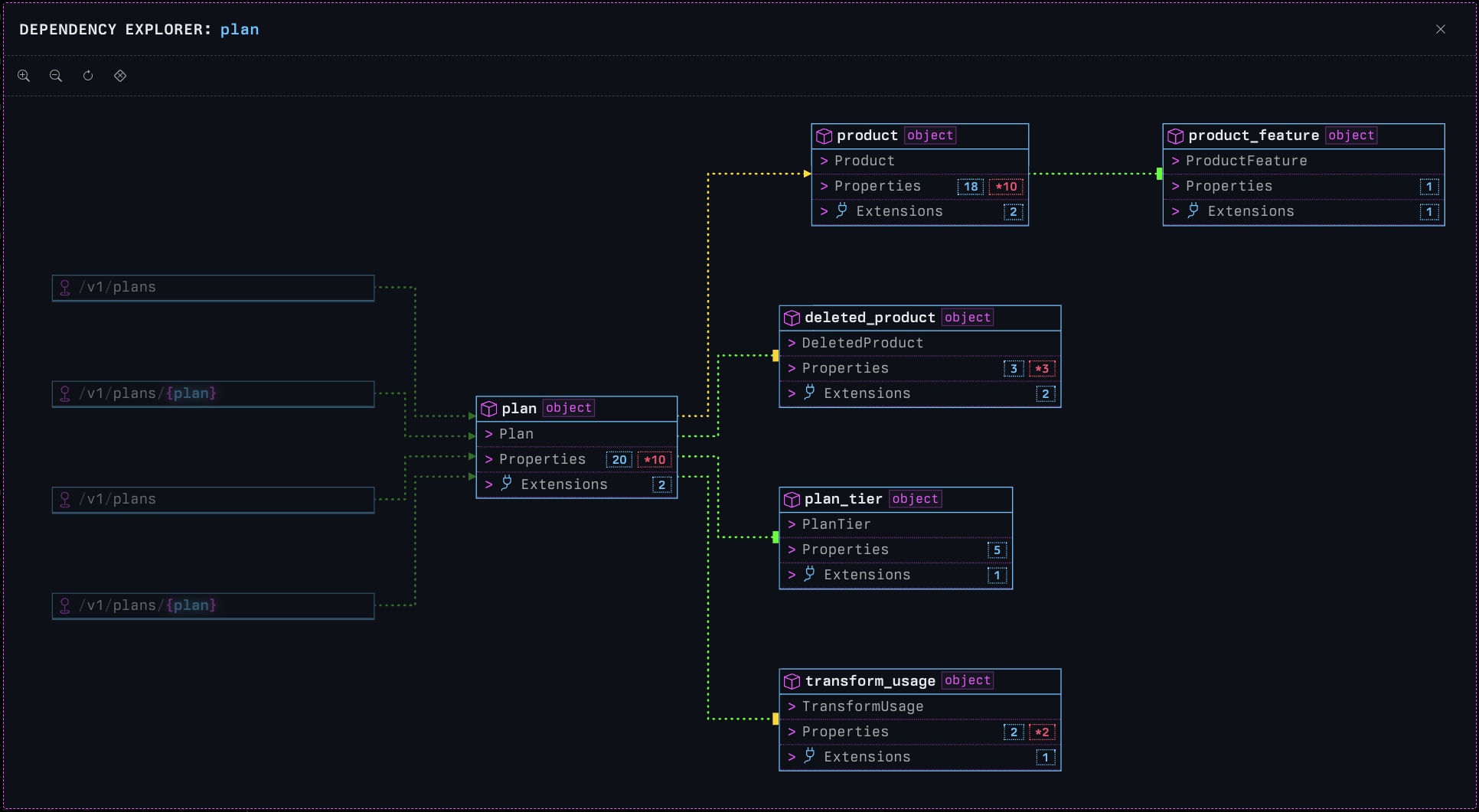
When both a generated class diagram and graph data are present, printing press shows both views in tabs:
CLASS DIAGRAMDEPENDENCY EXPLORER