What is the printing press?
What does it do and why does it exist?The printing press exists because API documentation tool vendors are all still copying Stripe1.
What do we want?
Some very specific requirements, for a very opinionated tool builder:
- AI and Agentic First.
- Render static, portable HTML that can be hosted, or viewed and shared locally.
- Does not require a webserver, but works beautifully with one.
- Renders lightning fast, with deep linking baked into the architecture.
- Renders Polymorphic models in an intelligent way.
- Renders enterprise-grade, mega-sized API contracts.
- Renders model dependency graphs, and UML class diagrams.
- Integrated diagnostics.
- Supports API Catalogs and large multi-spec surfaces.
- Works 100% offline.
- SEO Optimized.
To date, not a single provider meets our needs. Some look cool, some have nice themes, all of them fail our bar.
What does the printing press do?
It does everything mentioned above.
Here is a breakdown of what all of that means:
AI and agentic first
From the ground up, AI has been a primary target and consumer, and a first class element in the architecture of the tool.
Raw API contracts are a poor raw input for an agent. It has to use tools to parse out the model, then jump about chasing references and composing schemas, rendering out compositions and building out the graph in memory.
printing press generates llms.txt, AGENTS.md, per-operation markdown, per-model markdown, and JSON artifacts that make the same API easier for agents and automation to inspect.
The full AI and agent output model is covered in agentic AI.
Static and portable HTML
Static-first does not mean local-only.
A key design of the printing press is that generated output needs to be:
- Work completely offline.
- Viewable on any machine.
- Sharable as an archive.
However, at the same time, it needs to be:
- Hostable by any webserver, S3 bucket or static host.
- Previewable locally, as if it were being hosted.
- Able to run without any backend, ever.
There is only one way we know of to make this possible. Multiple Printing Modes.
Default (run locally)
If you pass no modifying command arguments, printing press will render out static documentation in api-docs/index.html.
Click it or run open api-docs/index.html and it’s all there. Disconnect the wifi, still all there.
Zip it up or turn it into a tarball, share it, and it will work just the same on everyone’s machine as it does on ours.
Published (to be served)
To render the docs out for being served by GitHub Pages, S3, Netlify, Cloudflare Pages, a CDN
(or any other static web host), use the --publish argument.
The documentation is generated differently, with a different hydration pattern than the default.
file:// vs http(s)://. It requires a different
hydration strategy when serving files via HTTP instead.Preview (served locally)
Use --serve to render the docs in published mode and then serve them up locally on a built-in webserver.
See and explore the documentation exactly as it will look when served by your chosen host.
Polymorphic Schemas
Another key design tenet of the printing press is the ability to make sense of Polymorphic JSON Schemas in a visual way.
Here is an edited down and simplified example of the Train Travel sample spec. A model called BookingPayment:
BookingPayment:
  description: A payment for a booking.
  type: object
  properties:
    id:
      description: Unique identifier for the payment.
      type: string
    amount:
      description: Amount intended to be collected by this payment.
      type: number
    currency:
      description: Three-letter [ISO currency code](https://www.iso.org/iso-4217-currency-codes.html), in lowercase.
      type: string
    source:
      unevaluatedProperties: false
      description: The payment source to take the payment from.
      oneOf:
        - title: Card
          description: A card (debit or credit) to take payment from.
          type: object
          properties:
            object:
              type: string
            name:
              type: string
              description: Cardholder's full name as it appears on the card.
              # other properties....
          required:
            - name
        - title: Bank Account
          description: A bank account to take payment from.
          type: object
          properties:
            object:
              const: bank_account
            name:
              type: string
              # other properties....
          required:
            - name
            - number
This is a very simple example of a very complex problem. How do you render an API shape that could be any number of things?
In this example, the source of the BookingPayment could be Bank Account or Card.
When these patterns are extrapolated out into much larger objects at scale, the schema becomes much harder to comprehend and understand. The printing press solves this by rendering out model compositions using specifically tuned experiences for making sense of composed objects.
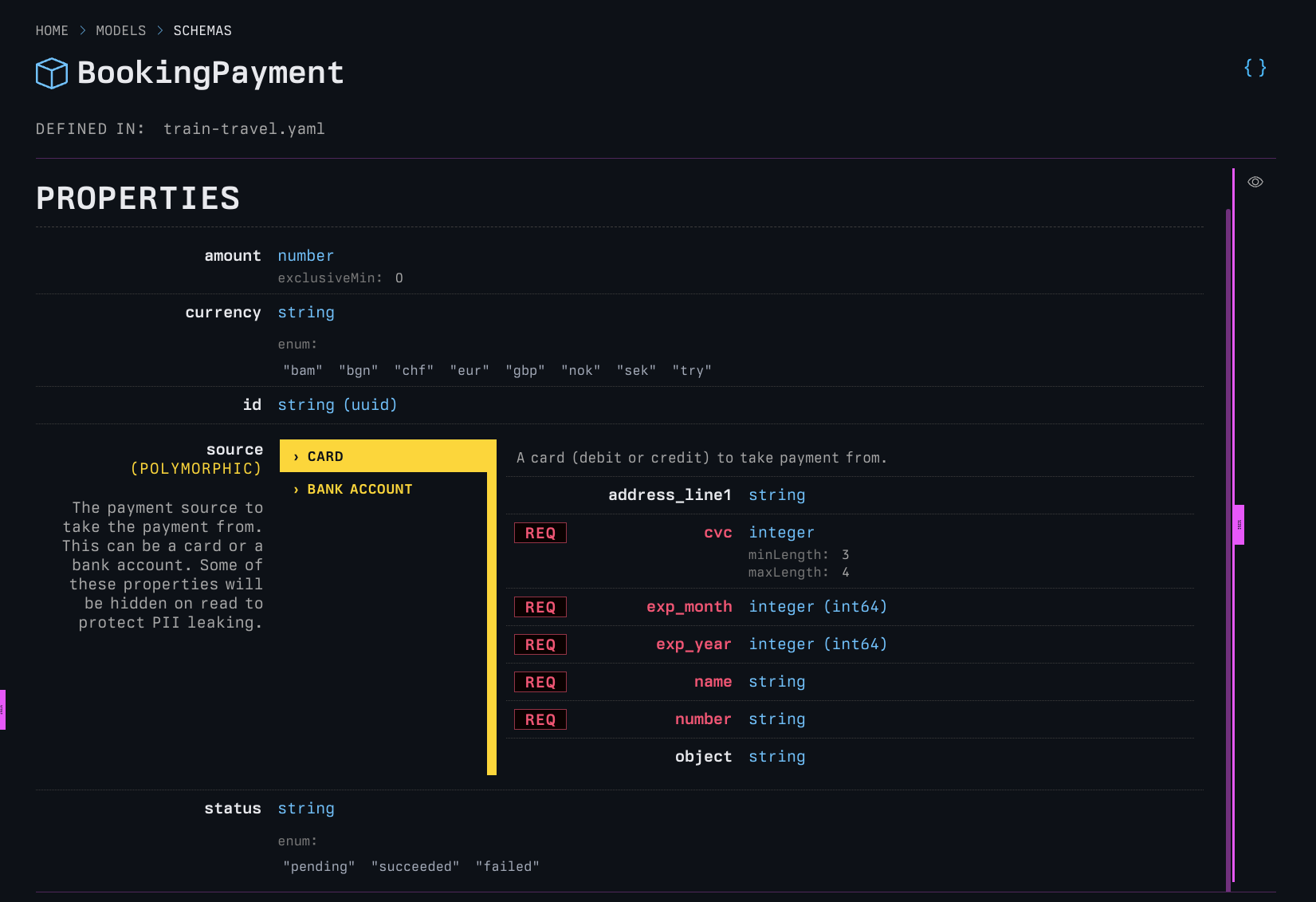
Card?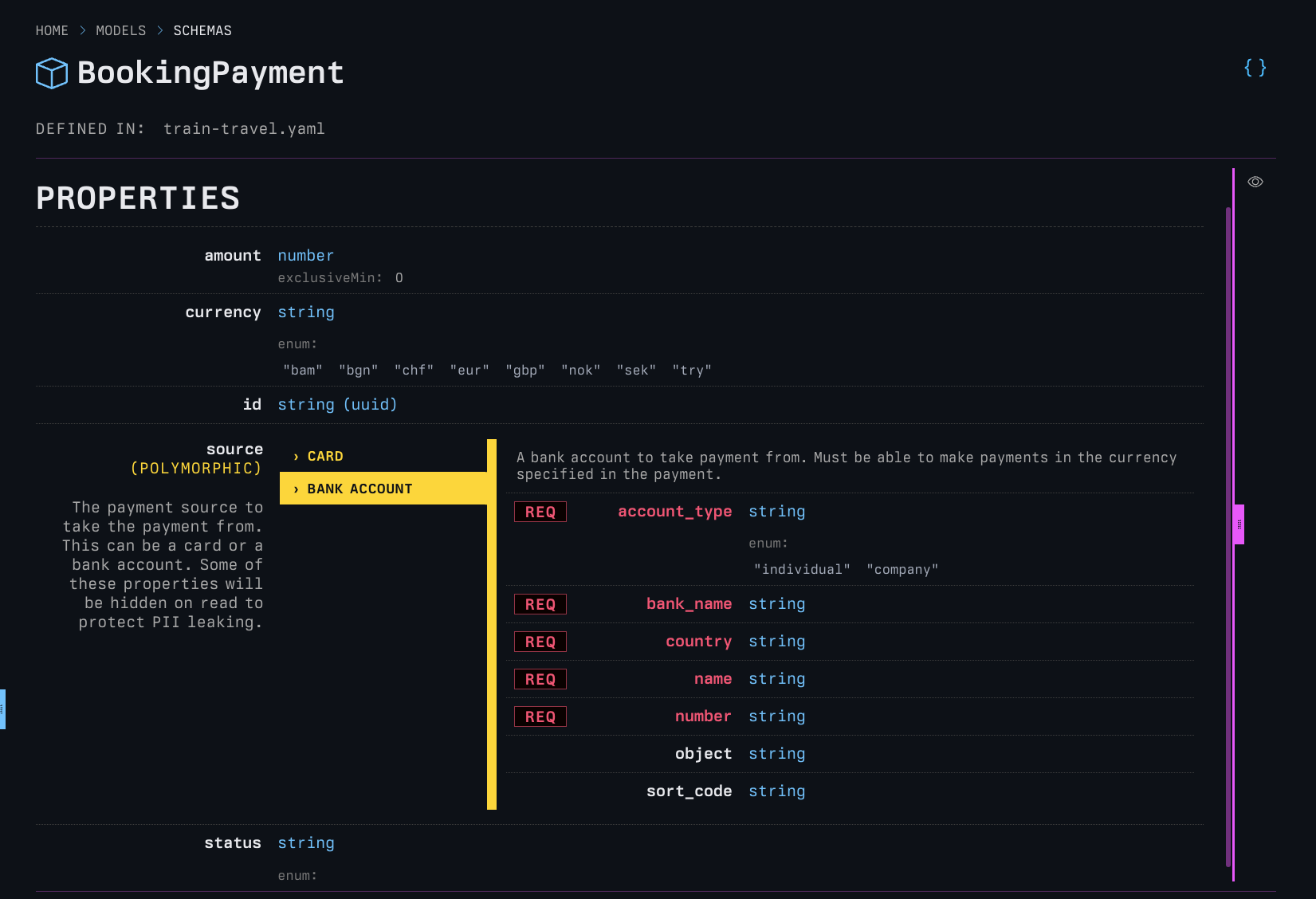
Bank Account?
The API shape changes significantly, being able to see what it looks like as it changes is key.
UML Diagrams
printing press supports Mermaid.js diagrams in description fields.
Use a triple backtick fence with the mermaid language identifier.
     ```mermaid
     <-- diagram code here -->
     ```
printing press will also render out class diagrams on model pages for complex objects with relationships. If you’re looking
for a good example of how useful this can be, render the Stripe API using the printing press and have a look at some
of the objects in there.
Here is an example:
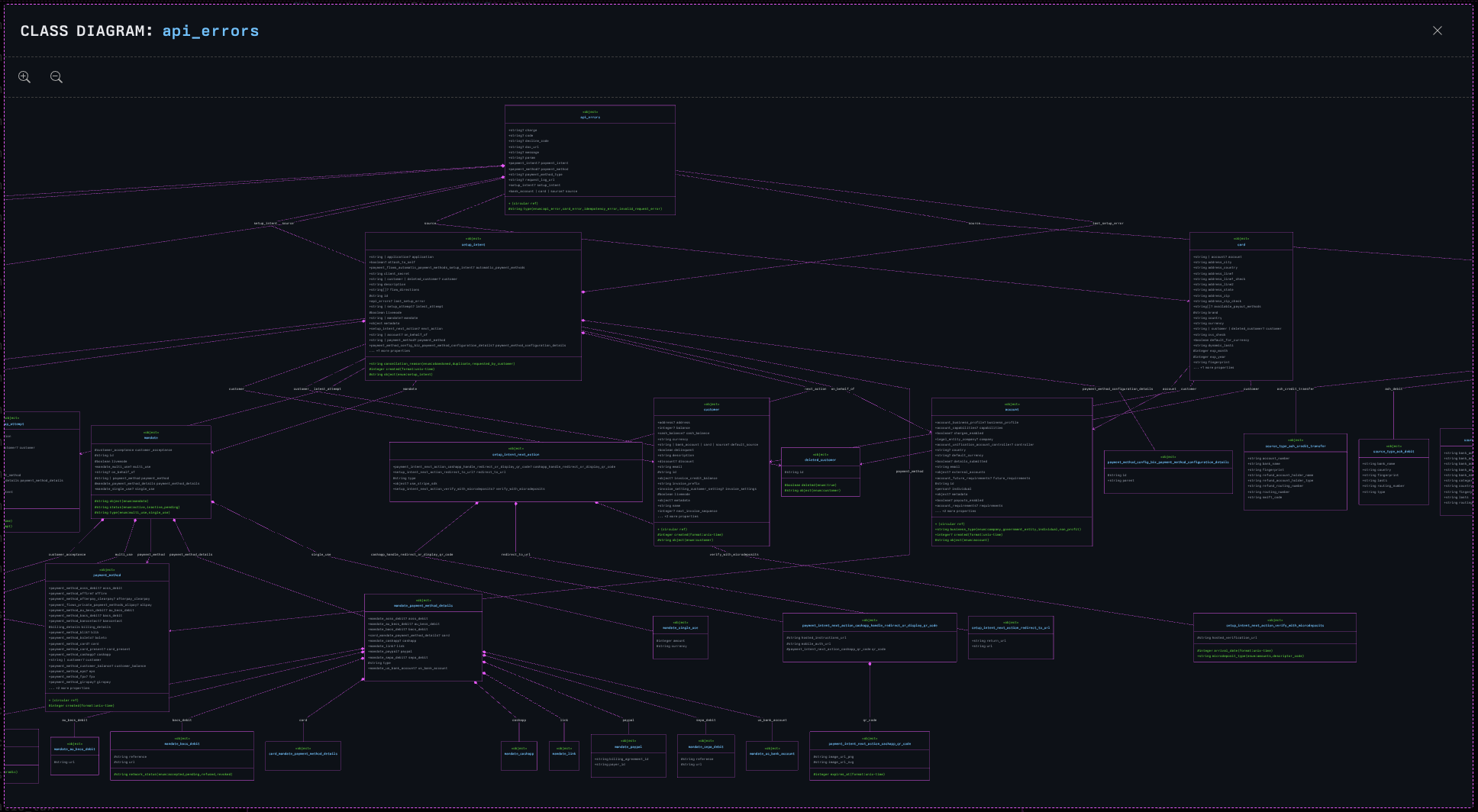
api_errors class in the Stripe API. Well, part of it, it’s massive!A not so crazy example of a smaller class in the Stripe API.
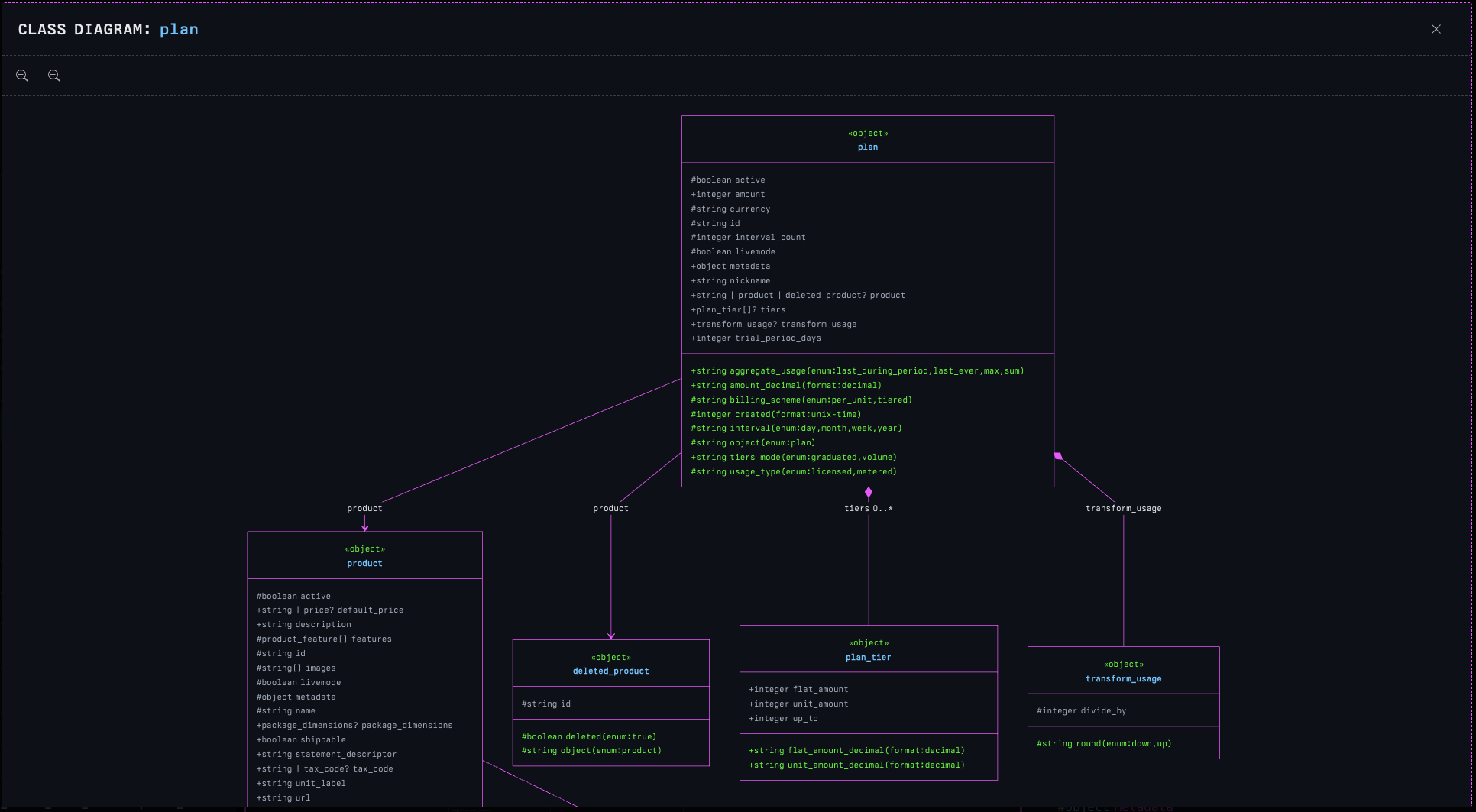
plan class, much simpler and easier to see.Dependency graph
Something that is always key to understand is what the dependency graph looks like for an object. In other words, this is the ‘what does the world look like from my point of view’ feature for models.
The dependency graph grants the ability for you to see all the upstream and downstream dependencies an object has.
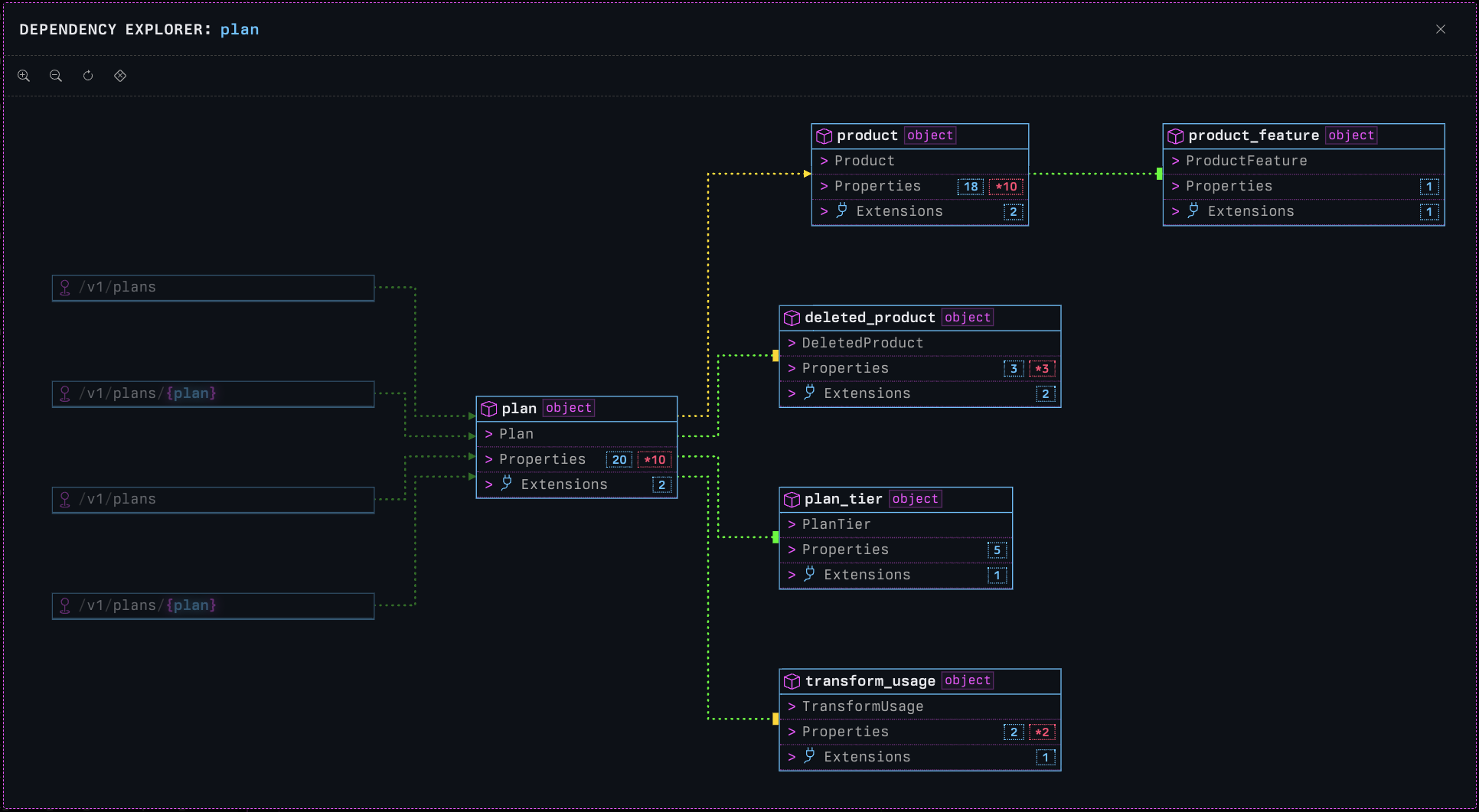
plan class are dimmed. Downstream dependencies (descendants) aren’t.Integrated diagnostics
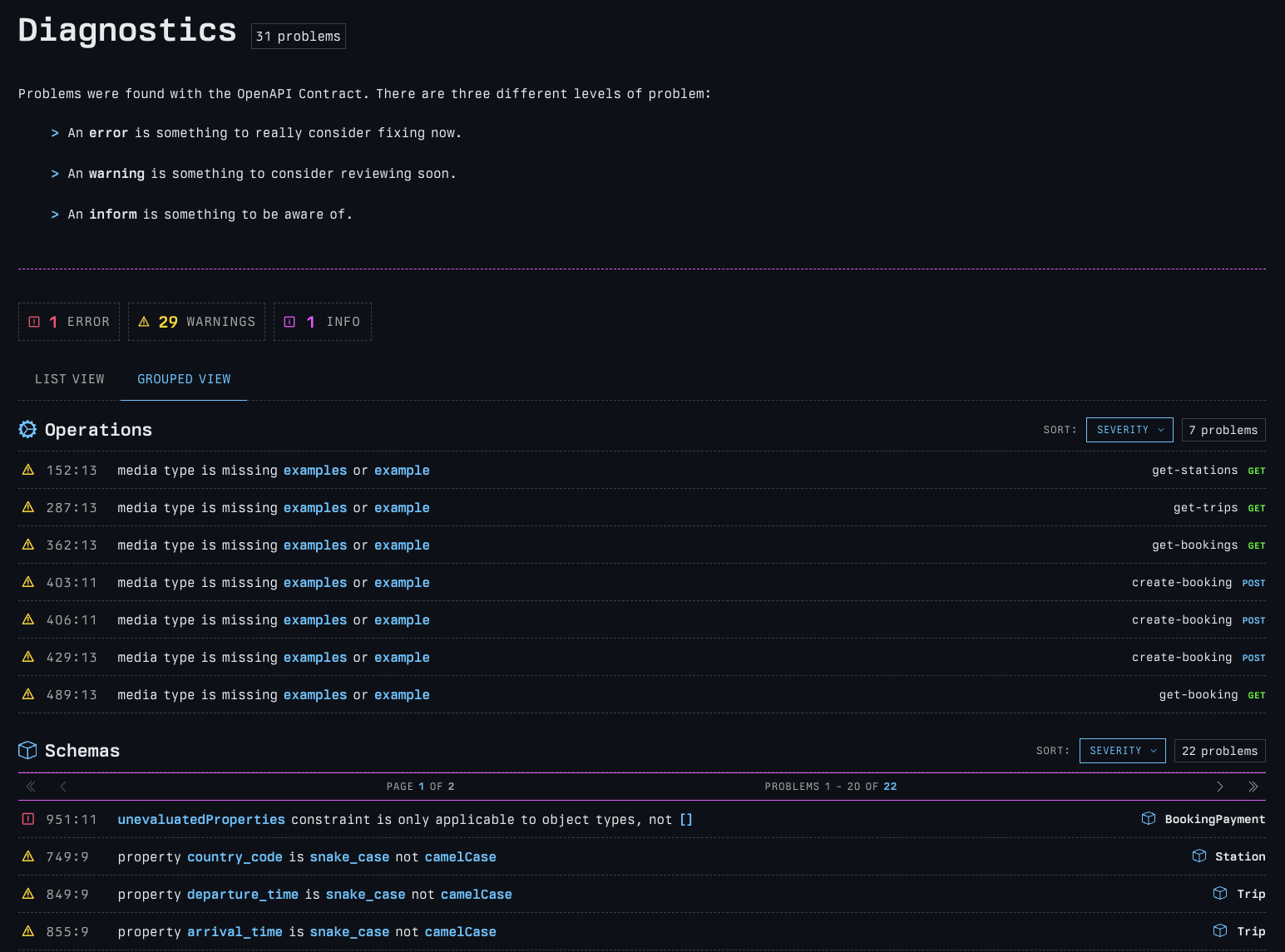
The printing press supports the ingestion of vacuum reports alongside a specification to generate an integrated diagnostics report.
The problems will be rendered in-line with the documentation. Any operations or models with problems are available in a pop-up drawer.
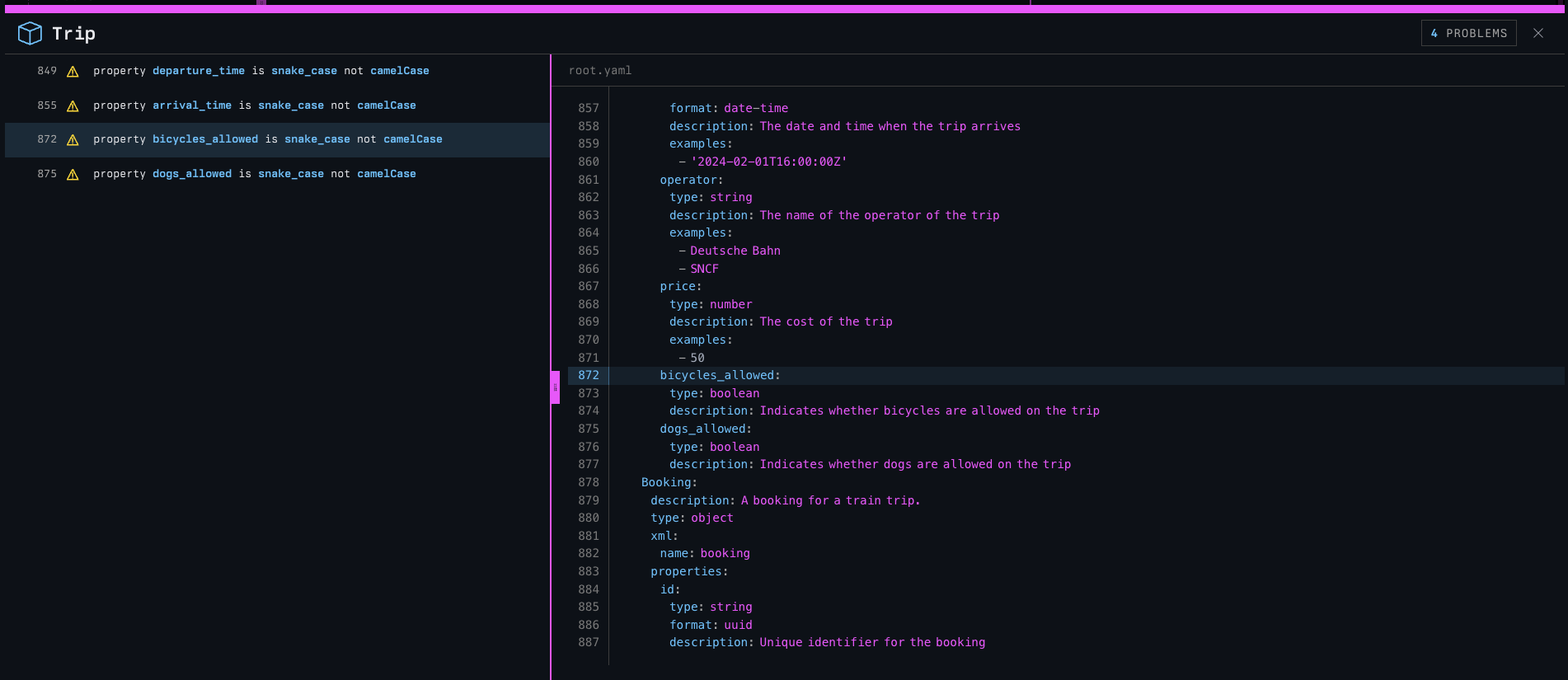
Problems can also be seen in the dedicated Diagnostics page that links to all the affected operations and models.
API Catalogs
Most companies do not just have one spec, they have many. In any kind of multi-service system, there could be hundreds or thousands of them.
printing press is ready to tackle this problem. It will discover every spec in a file system and build a dedicated portal
to access all the individual service specs, with a way to return to the catalog at any time.
Versioning support
A service with multiple versions of a spec will automatically be upgraded to be multi-version aware.
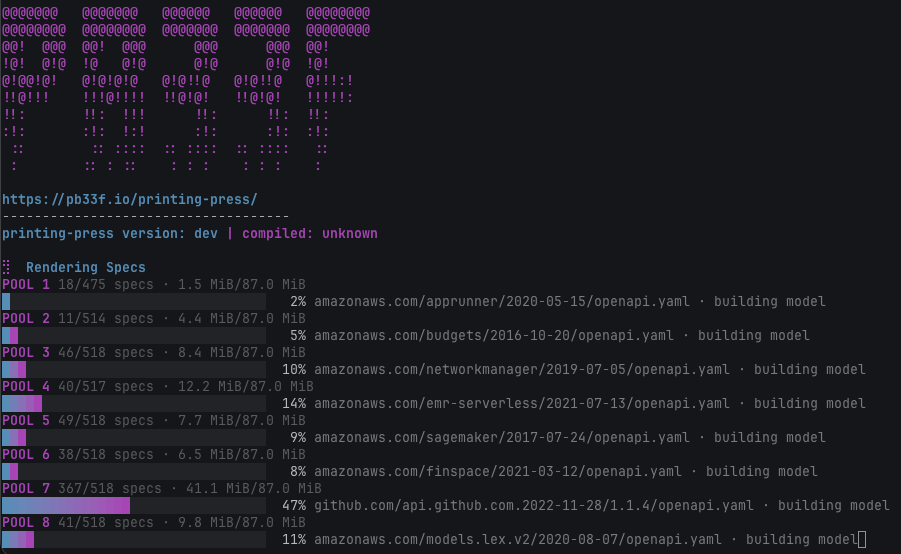
printing press can render thousands of specs, with many versionsPart of the pb33f family
printing press is dependent on the doctor, vacuum and libopenapi. It fits right in alongside the rest of the pb33f stack.
Soon you will be able to use it inside vacuum and wiretap.
No other tool can do what printing press does. It works exactly how we want it to, and it’s free!
Try it now, for free in the doctor.
-
The Stripe API is insane and horrible. I’ve spent years benchmarking against it, because it is horrible. I use it as a stress test of the system, because it’s a monster. ↩︎