Diagnostics Mode
Import vacuum reports into generated API docs.Diagnostics mode imports a vacuum report and renders located problems inside the generated documentation.
Problems are wired directly into the operations, or models that contain them and printed out in the docs. There is also a dedicated Diagnostics page generated that lists all the issues found and where they were found.
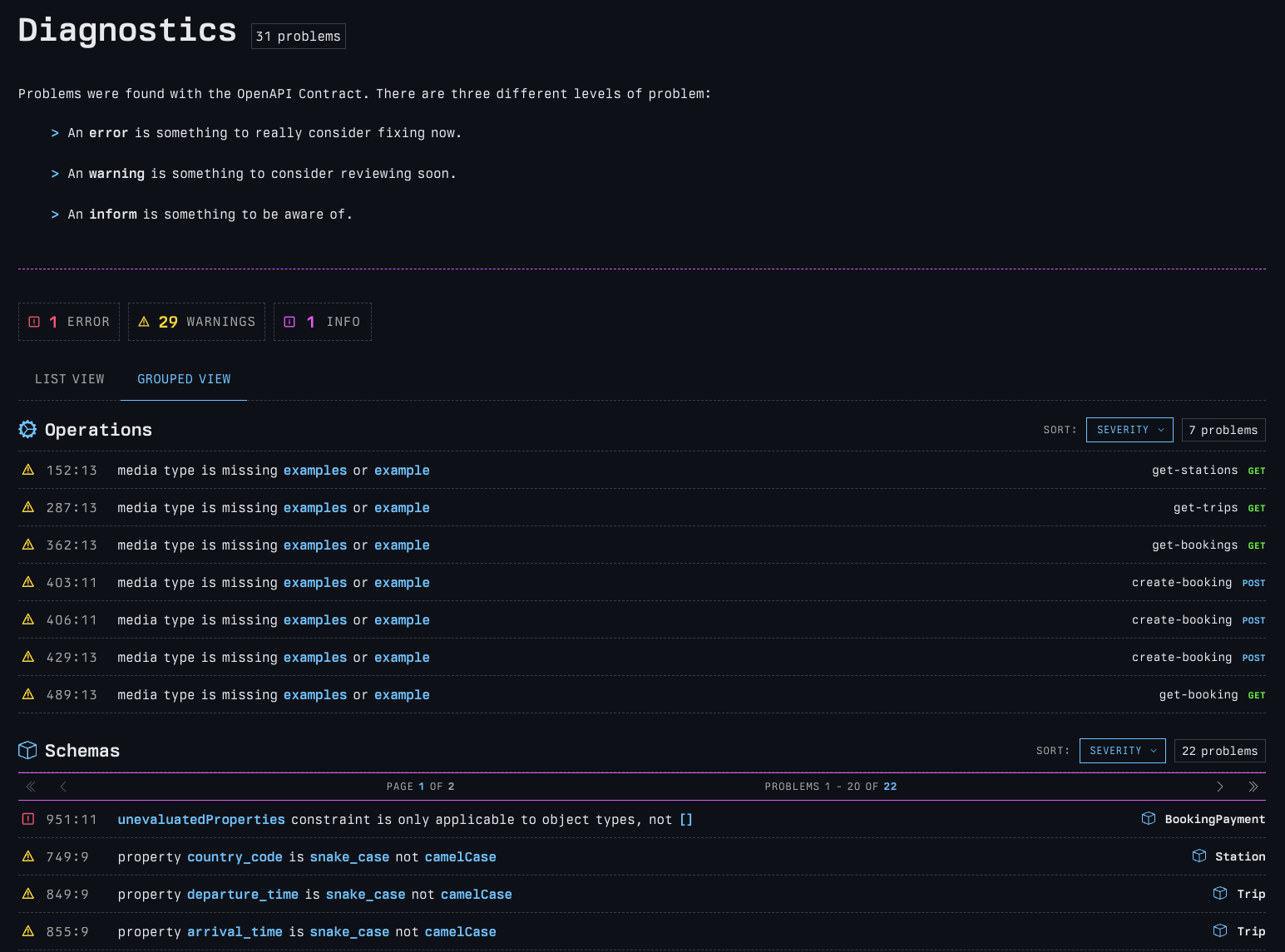
printing press to see quality and correctness issues inline!Generate a vacuum report
Run vacuum and write a compressed report:
Then pass that report to printing press:
The report should come from the same OpenAPI or AsyncAPI document that you pass to ppress.
Stream from stdin
You can stream a vacuum report directly into printing press. Using the --stdin flag on printing press and the
--stdout flag on vacuum, allows you to pipe from vacuum to printing press in a single command.
In this mode, --stdin reads the vacuum report.
Generated output
When diagnostics mode is active, the generated docs include a diagnostics page and problem counts across the relevant documentation models and operations pages.
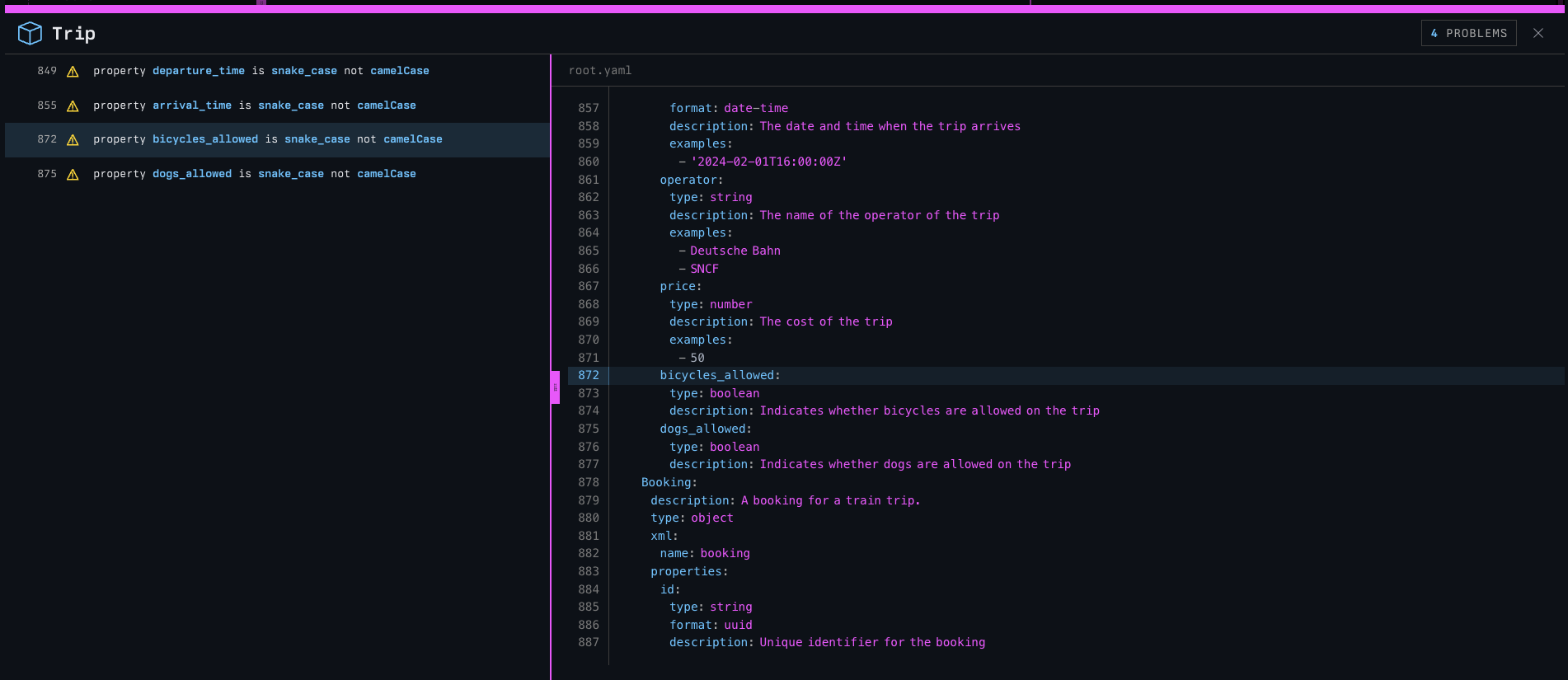
Every navigation item will contain an error/warn/info count for problems located, so you can see just how widespread the issues are at a glance.
Known limitations
Diagnostics mode is only supported for single-spec builds.
This is valid:
This is not:
Directory input is API catalog mode, and catalog diagnostics are not supported in printing press.