|
view this newsletter on the web.
🏫 Back to school!
Howdy, my fellow hackers,
By now, all the kids are back in school (like mine), and everyone is recovering after a fun-filled summer full of
beach trips, sunshine, and conferences!
I wanted to let you know about what’s been cooking on the ranch. I hope you’re well and having fun.
vacuum gets a facelift NEW!
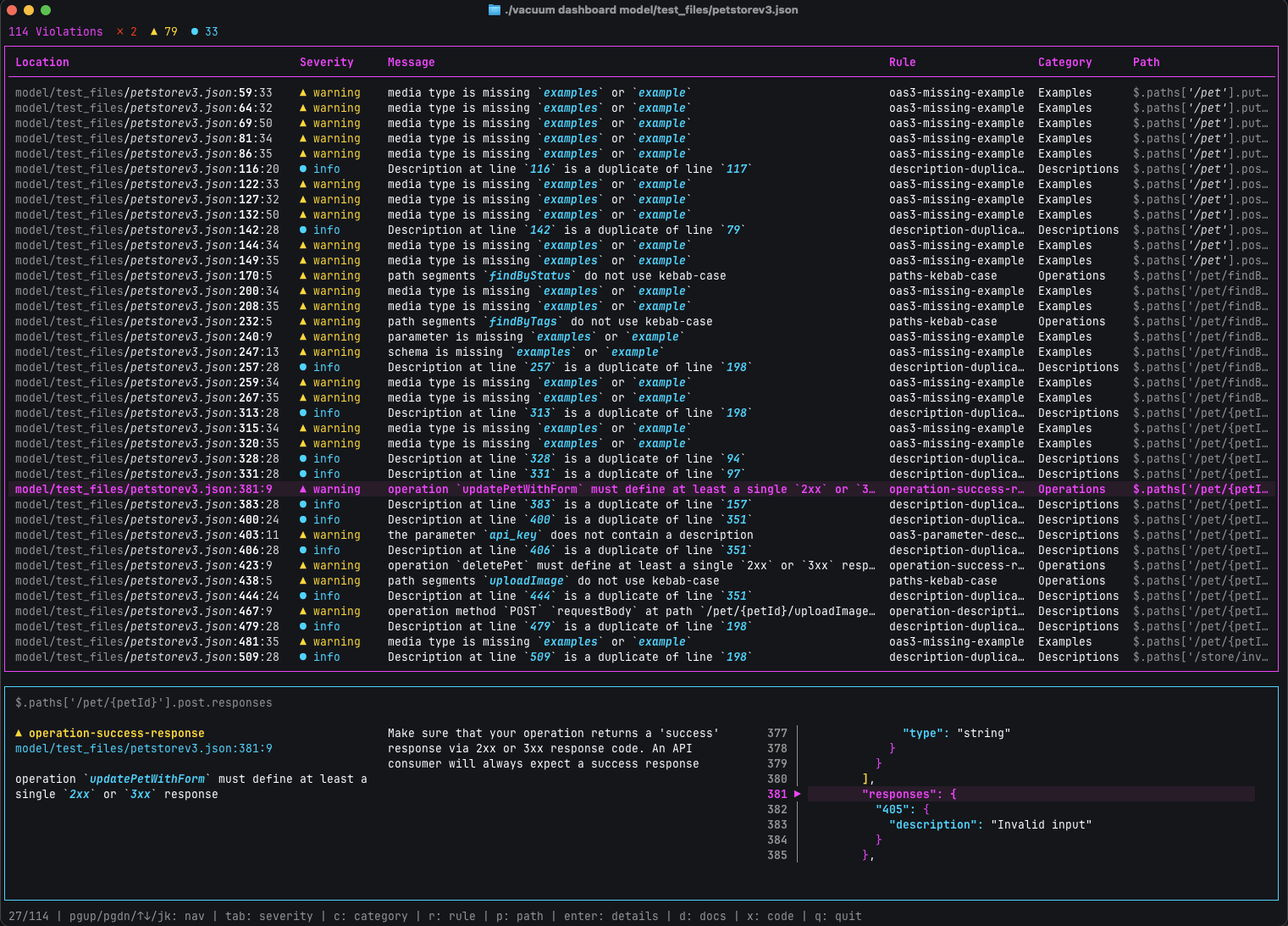
Recently, my addiction to Claude Code took yet another dive, and after five hazy code-fueled days, I ended up rebuilding
the entire terminal UI for vacuum.
|
|
I went on a bender and ended up with a whole new terminal UI.
|
Completely rewritten from scratch (which is always a terrible idea), Claude and I spent the week laughing and crying
as we battled back and forth with ASCII codes and the incredible bubbletea.
The dashboard is now what I envisioned when I created vacuum: helpful, fast, and compact.
|
|
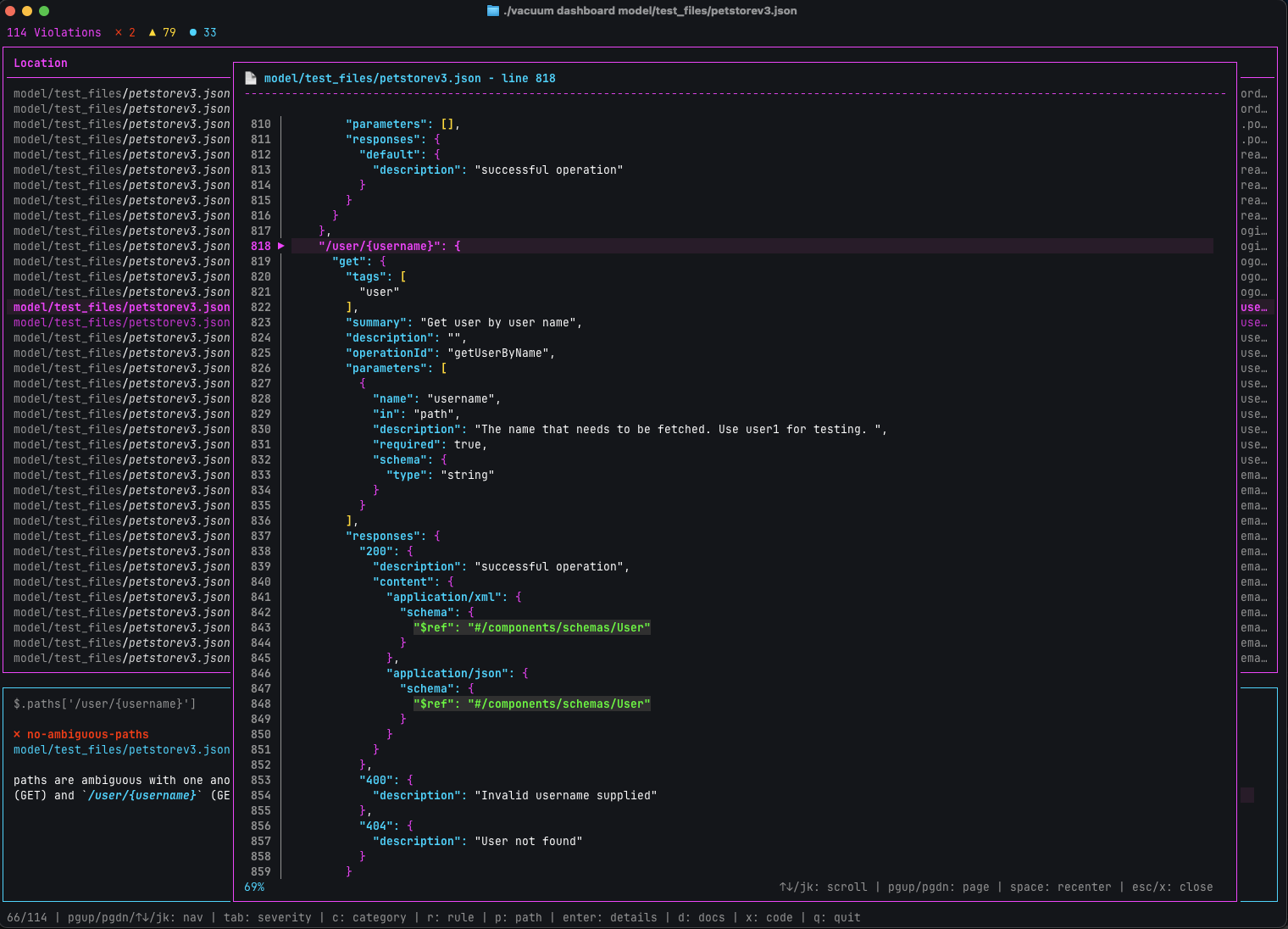
Expanding code views on violations to gain more context by pressing ‘x’
|
When trying to see what is going on, being able to ‘zoom out’ and take a look at something in context is essential,
And when designing UX for a terminal application, it’s not as simple as it usually is.
Using the concept of layers in the newest version of Bubbletea, I created modals that display the syntax-highlighted code.
Much easier to scroll around the code now, without leaving vacuum, simply press x to bring up the line in question, in a scrollable modal.
|
|
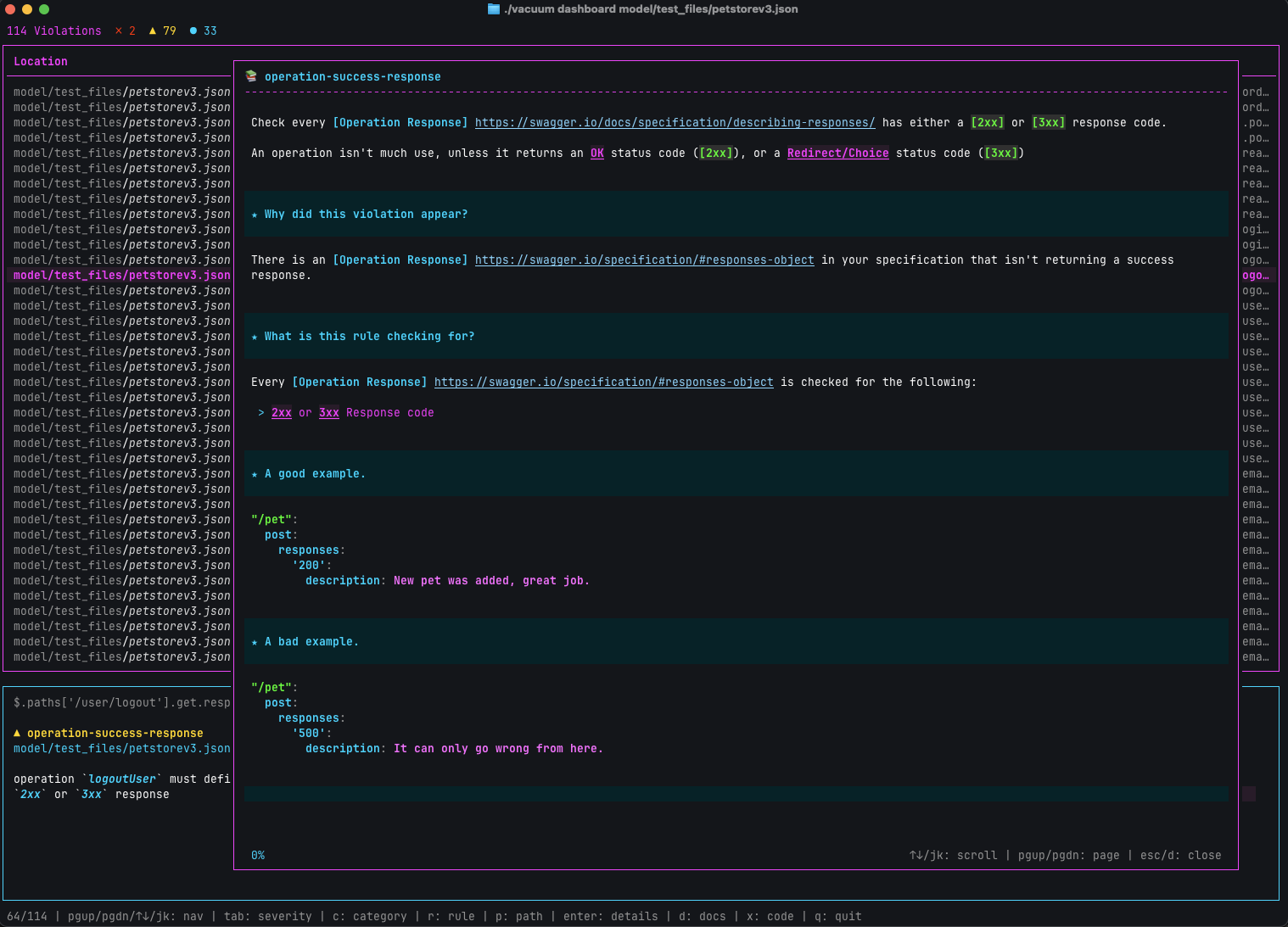
Rich documentation for every violation is now available, just press ’d’ on the highlighted violation
|
If you’ve used the OpenAPI doctor preview, then you may already be aware that inline documentation is already
available for all rules, functions, and much more.
I really love ‘docs next to the tool’ experiences. Where really nice, clean docs pop up, right in the context of what I am working on. I wanted to bring this experience to vacuum too, right in-app, in the terminal.
Simply press d to bring up the same documentation that is rendered on quobix.com and pb33f.io,
but rendered right in the terminal.
This is a pretty cool feature; essentially, it’s an HTML & Markdown API for massive documentation repositories. Everything is stored as markdown and rendered differently based on requirements. No databases, super fast!
Watch mode!
The new dashboard command also accepts a new –watch or -W flag, which enables file watching and refreshes and reruns the rules on every change.
This includes all files in a distributed/exploded document.
If you’re interested in learning more, I have written a short article
to mark the occasion.
GitHub App
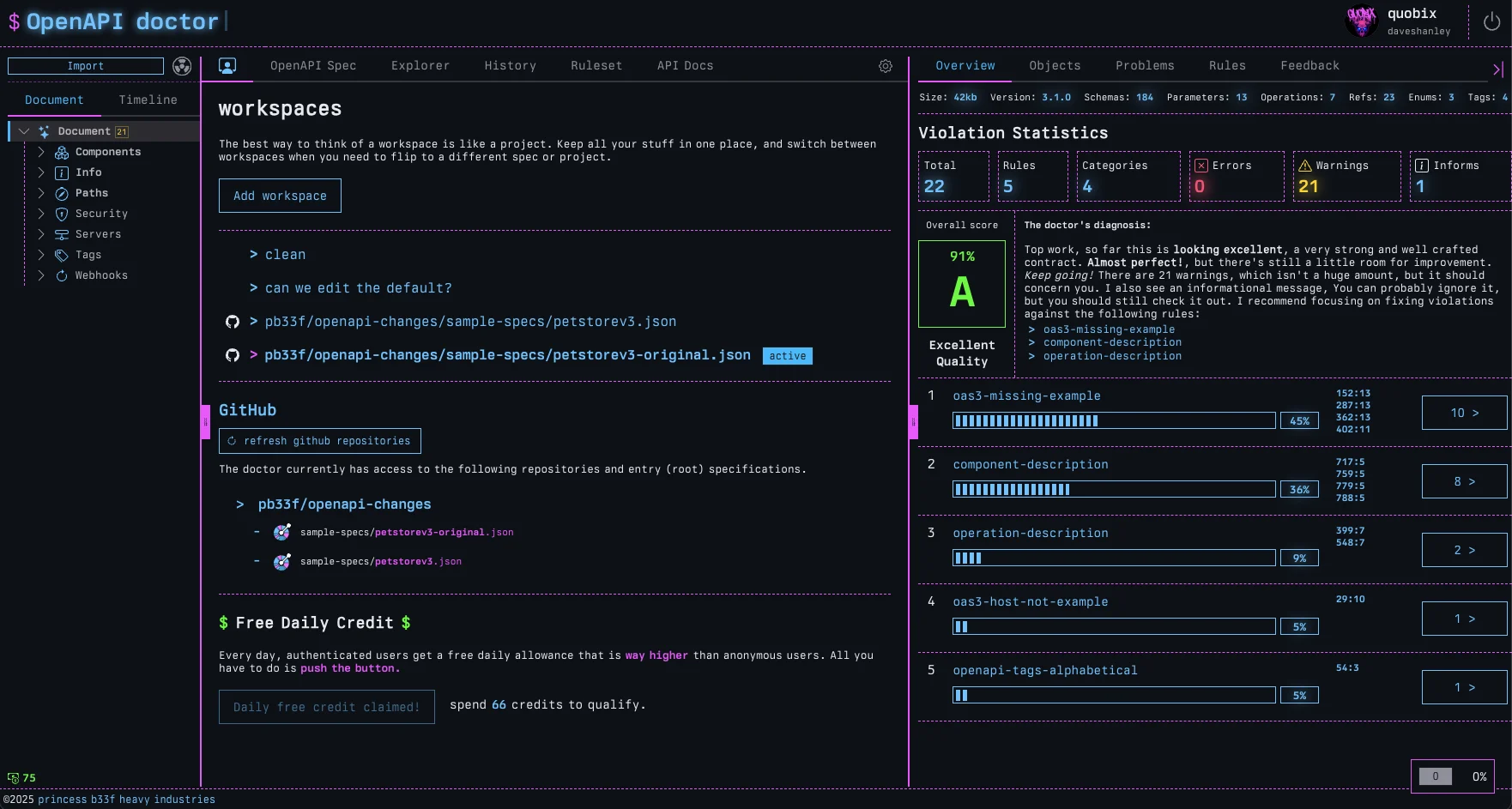
A new GitHub App is in the works that will allow you to install the OpenAPI Doctor into your repo,
and automatically track and monitor your OpenAPI specs. Once installed, all the repositories you have enabled access to will show up in your Workspaces view.
Click any root spec from one of your repos, and the Doctor will create a new workspace and auto-import the entire timeline
of the spec, every change since it was checked in.
|
|
When in workspaces, install the GitHub app, select a repo and a spec, then watch the doctor build an OpenAPI time machine for you
|
Every change to your spec in the repo will automatically be detected and tracked by the Doctor, as well as allowing you to review
all changes and movements in quality with every pull request.
The ability to publish your spec change and quality timeline to the public will also be available.
It’s still a work in progress, but something to keep an eye out for.
More to come soon. Until next time…
Stay cool.
Quobix
view this newsletter on the web.
|